
Knowing how to reach the Hamster Village team directly shapes how quickly your questions, bug reports, and ideas land in front of the developers. This guide maps every official contact point the Hamster Village team currently maintains, from the developer's Twitter account for real-time patches to the YouTube channel for update trailers and community showcases. Whether you need hamster village help, want to send hamster village feedback, or simply want to follow the next drop, the contact paths below are the only ones that reach the verified development crew. According to the official Hamster Village Roblox game page, the experience is shipped by the verified developer group Dojo Empire, which controls every channel covered here. opment crew. According to the official Hamster Village Roblox game page, the experience is shipped by the verified developer group Dojo Empire, which controls every channel covered here, and any glitches that slip past their QA pipeline can be escalated through our walkthrough on reporting bugs in Hamster Village.
Who Is the Hamster Village Team?
The Hamster Village team is the verified developer group operating behind the merge-tycoon experience on Roblox. Players interact with their work every session through server shutdowns that double as content updates, and the group maintains a presence on multiple social platforms to keep the community informed.
The development crew behind Hamster Village ships content through a specific rhythm: in-game patches, social announcements, and community Q&A posts. Understanding that rhythm helps players time their requests, because a bug report filed on a Tuesday afternoon may sit in a moderation queue for days if it arrives between deploy windows.
Dojo Empire and the Verified Developer Group
The Hamster Village team operates under the Dojo Empire group, a verified Roblox developer group with full publishing rights. Verified status matters because it confirms the group has cleared Roblox's identity and ownership checks, which means messages directed at the group's official accounts will reach the people who actually own the game. Community-run fan pages can mimic the brand, but only the verified channels push the patch notes, balance changes, and event timers that affect live gameplay.
| Channel Type | Owner | Verification Status | What You Get There |
|---|---|---|---|
| Developer group on Roblox | Dojo Empire | Verified | Patch notes, announcements |
| Twitter / X account | Hamster Village team | Official | Real-time updates, teasers |
| YouTube channel | Hamster Village team | Official | Update trailers, showcase clips |
| In-game report tools | Dojo Empire | First-party | Direct messages to the moderation team |
The development crew's verified status also matters when you submit feedback: reports sent through unofficial Discord clones or lookalike pages rarely reach anyone with the authority to act on them, so a bug report about a broken hamster cage mechanic or a stuck Hamster Village event timer may sit unanswered for weeks. The Dojo Empire group banner, the blue check on the Hamster Village Twitter and YouTube handles, and the first-party in-game report tools are the only channels tied to developers who can actually push a hotfix, so route every ticket, screenshot, and clip through those verified entry points rather than a fan-run server.
Game Loop at a Glance
Hamster Village is a merge tycoon: players buy hamsters, let them drop Seeds over time, collect and deposit Seeds to earn Money, then spend Money on more hamsters and merge matching tiers to climb the collection. Each cycle takes minutes in the early game and stretches out as players unlock higher tiers, which is why hamster village help channels tend to focus on early-game questions about merge priorities and Seed-to-Money ratios.
According to the official Hamster Village game page, the core loop is intentionally short and reactive, with server shutdowns acting as the de facto update schedule. That cadence shapes how the development crew communicates: when a server is about to close for an update, the team usually drops a heads-up on Twitter first, then follows up with the patch notes once the server is back online.
Hamster Village Twitter: The Primary Update Channel
The official Hamster Village Twitter account is the fastest channel for hamster village team updates. Most patch announcements, event countdowns, and emergency rollbacks appear on Twitter first, often hours before the same information reaches in-game news tickers or YouTube.
For players who want a real-time feed of what the Hamster Village team is doing, Twitter is the single best source. The account typically posts several updates per active week and goes quiet during long content droughts, so a quiet feed is not necessarily a bad sign.
Why Twitter Leads the Update Cycle
Twitter's character limit forces short, scannable posts, which fits the Hamster Village team's communication style. A typical update post contains a one-line summary, a screenshot or short clip, and a thread of replies for finer detail. The format also lets the team answer follow-up questions in public, which doubles as an informal support thread for hamster village help requests that don't need a full bug report.
| Update Type | Typical Channel | Approximate Lead Time |
|---|---|---|
| Emergency rollback notice | Minutes after detection | |
| Patch notes summary | Twitter then YouTube | Hours before full notes |
| Event countdown | 24 to 48 hours ahead | |
| Community Q&A | Twitter replies | Same day |
| Long-form dev diary | YouTube (when present) | Days after Twitter teaser |
The team also uses Twitter to call out community milestones, such as favorited screenshots or fan art, which makes the account useful for hamster village feedback that is positive rather than corrective. A quick reply under a community post is sometimes the easiest way to flag a creative build the team might want to spotlight.
How to Use the Account Effectively
Players who want to reach the Hamster Village team through Twitter should follow three practical habits. First, mention the official account rather than tagging a random staff handle, because most replies come from the main feed. Second, attach a short clip or screenshot for any bug or feedback report, because text-only complaints tend to get lost in the volume of mentions. Third, check the pinned tweet before posting a question, because the team pins the most common issues at the top of the profile during active incidents.
For hamster village support that needs a private channel, the in-game report system is still the better route; Twitter works best when the issue is one others can see and vote on. A bug that affects many players will get faster traction as a public thread than as a single direct message.
Hamster Village YouTube: Trailers, Showcases, and Dev Updates
The Hamster Village YouTube channel hosts the team's longer-form content. While Twitter handles quick announcements, YouTube is where trailer drops, merge-tier showcases, and the occasional developer commentary live. The channel is also a useful archive for new players who want to see the game loop in action before they jump in.
The Hamster Village YouTube presence is smaller in volume than the Twitter feed but heavier per video, which makes the channel a better destination for players who want context rather than news flashes. A single 12-minute showcase on the YouTube channel often explains more about merge-tier board layout, hamster role synergies, and economy pacing than a week of fragmented tweets ever could, so players hunting Hamster Village help on progression decisions usually land here first. The dev team also pins longer comment threads under those uploads, turning each video into a living FAQ for Hamster Village support questions that don't fit into a short-form post.
What the Channel Publishes
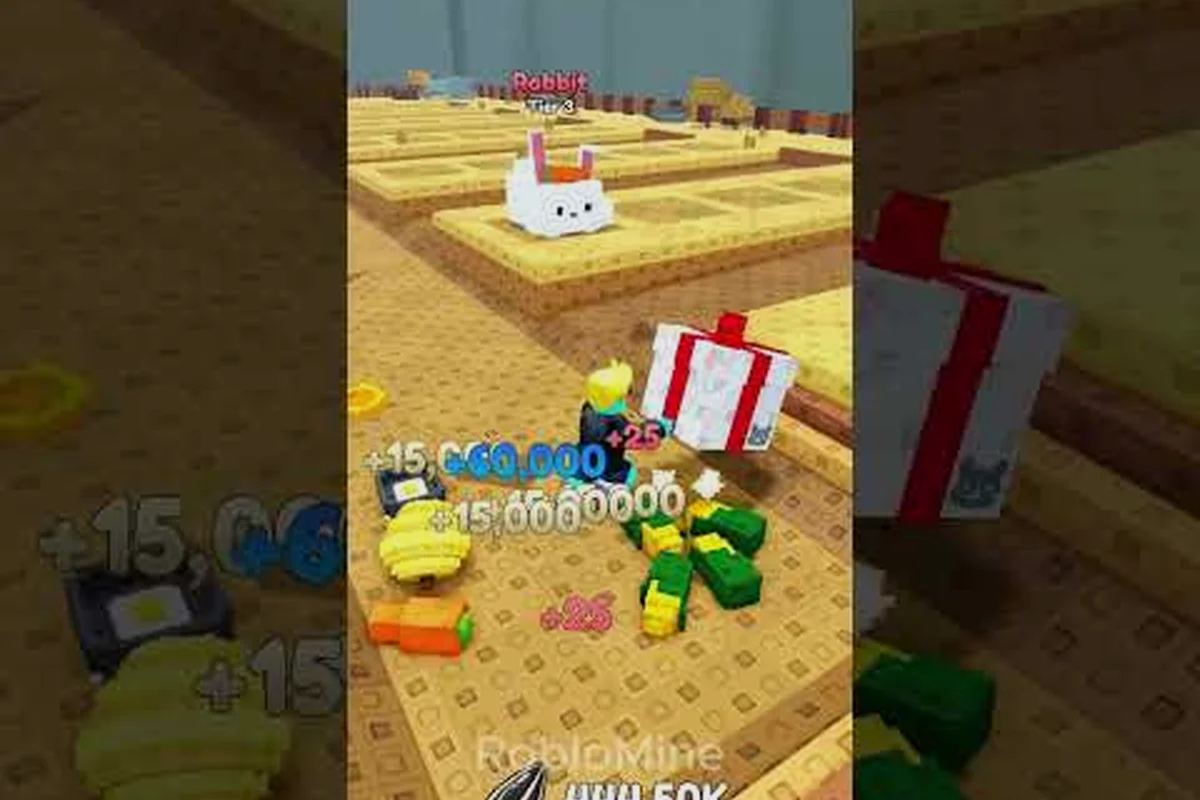
The Hamster Village team uses YouTube for content that benefits from video, primarily trailers, gameplay showcases, and milestone recaps. Roblox creators like RobloMine also post no-commentary gameplay walkthroughs that double as unofficial guides, and creators such as GADOSTI produce high-energy highlight reels that surface the game's most viral moments.
| Video Type | Typical Source | Why Watch It |
|---|---|---|
| Official trailer | Hamster Village team | Reveal of new hamster tiers or events |
| No-commentary walkthrough | RobloMine (community) | Slow-paced visual reference for the merge loop |
| Highlight reel | GADOSTI (community) | Fast-paced showcase of late-game content |
| Dev commentary | Hamster Village team (rare) | Behind-the-scenes context on balance changes |
Players who want a visual feel for what a new update adds can usually find a no-commentary video within hours of a patch, which is useful when the patch notes assume you already know what a tier looks like in motion. For hamster village help with merge strategy, those walkthroughs are often the most efficient way to see how a high-tier hamster is supposed to behave during a full cycle.
Using the Channel for Support
The Hamster Village YouTube channel is not a primary support channel, but the comment threads under major trailers often function as informal community forums. Players with hamster village feedback tied to a specific feature can post under the most relevant video and tag the channel, which occasionally surfaces the comment for the team. That path is slower than a direct in-game report, so it works best for general impressions or feature suggestions rather than time-sensitive bugs.
The team also uses YouTube descriptions to link out to patch notes, which is helpful when Twitter threads get cut off or pinned tweets roll over. Saving the most recent description as a reference is a low-effort way to track the current state of the game without scraping the Roblox page every session.
Hamster Village Help: Finding Real Support
Hamster village help comes from a mix of in-game tools, the developer group, and community resources. The fastest path depends on whether the question is technical, strategic, or social, and using the wrong channel can delay a fix by days or weeks.
Players who treat support as a single channel often end up frustrated when their message goes unanswered, because each channel has its own response time and scope — the in-game ticket system typically routes bug reports to the hamster village team within 24–48 hours, the official hamster village twitter account handles live outage notices, and the hamster village youtube community posts archive walkthroughs for strategy questions that don't need a direct reply. Sending a balance-change complaint through the bug form, for example, usually stalls in triage, while the same post under the hamster village feedback tag on Discord often gets a developer comment the same evening.
In-Game Support vs. Social Support
In-game tools and social channels serve different purposes, and knowing which to use cuts response time dramatically for the hamster village team. The in-game report button bypasses public visibility and routes directly to live moderators inside the server instance, while Twitter, YouTube, and the developer group on Roblox work better for slow-burn topics like balance feedback, reproducible bug reports, and roadmap suggestions where the community can upvote and the patch pipeline can track the ticket. Picking the right channel upfront — exploiter to in-game, balance talk to Twitter, billing to Roblox support — typically shaves days off the wait compared to a blanket post on every platform.
| Request Type | Best Channel | Expected Response Time | Why |
|---|---|---|---|
| Exploiter in your server | In-game report button | Minutes | Routes to live moderation |
| Hamster village feedback on balance | Twitter or YouTube replies | Days to weeks | Visible to community vote |
| Bug with reproduction steps | Developer group on Roblox | Days | Tracked in the patch pipeline |
| Account or billing question | Roblox support | Standard Roblox queue | Outside Hamster Village team's scope |
| Strategy question | Community wiki or guides | Instant | No developer action needed |
The in-game report button is the right tool for behavior that needs immediate moderator action, such as exploiters, scammers, or chat abuse. Hamster village support for those issues never requires leaving the game, and the report is usually routed to a live moderator within the same server session.
Direct Support Routes
When hamster village help needs a private back-and-forth, the Roblox developer group page is the most reliable destination. The group's About tab typically lists contact links or a direct-message pathway that routes around the public feed. Direct messages on Twitter are also possible, but the team responds faster on public posts where the answer doubles as documentation for other players with the same question.
A useful habit is to file hamster village feedback once through the developer group and once through the in-game report, because the two systems feed different queues. The group tracks feature requests for future patches, while the in-game report feeds the moderation and bug-fix pipeline. Filing in both places makes sure the request lands on the right desk even if one queue stalls.
Submitting Hamster Village Feedback the Right Way
Hamster village feedback works best when it is specific, reproducible, and tied to a single channel. Players who send the same report to every platform at once often fragment the conversation, because the team has to merge threads before anyone can act.
The Hamster Village team reads feedback from multiple sources, but each source has its own format expectations. A Twitter reply under a patch thread is read as a quick comment, while a developer group post is read as a structured report. Matching format to channel is the difference between a one-line acknowledgement and a tracked issue.
Crafting a Useful Bug Report
Bug reports that get fixed fastest tend to share a few traits: a short title, reproduction steps, a screenshot or clip, and the device or platform used. Vague reports such as "the game broke" usually get a follow-up request for detail and end up lower in the queue than reports that already include the basics.
A strong report on the Hamster Village team should answer five questions in plain text: what happened, what was expected, how to reproduce it, when it started, and whether it happens consistently. Players who can answer all five in under 100 words usually get faster responses than players who write a long narrative without structure.
| Report Field | Why It Matters | Example |
|---|---|---|
| Short title | Scannable in queues | "Merge button fails on tier 8+ pair" |
| Steps to reproduce | Saves dev time | 1. Buy 2 tier-8 hamsters 2. Open merge menu 3. Tap merge |
| Expected result | Confirms intent | "Single tier-9 hamster appears" |
| Actual result | Confirms bug | "Both hamsters disappear, no upgrade" |
| Platform | Filters device issues | "Mobile, iOS 17, Roblox app latest" |
Reports that include a short screen recording tend to skip the follow-up question round entirely, because the clip answers most of the questions the hamster village team would otherwise have to ask. A 10-15 second capture of the merge glitch, premium hamster animation freeze, or a Crumb Coin reward mismatch gives support staff the exact build state, UI flow, and timing context that text alone rarely conveys. When you can show the moment a tier-8 merge drops both units instead of upgrading, the bug moves from "needs clarification" straight into the dev queue — often the same day — instead of sitting in a follow-up thread for 48 hours.
Balancing Feedback with Feature Requests
Hamster village feedback covers two distinct buckets: things that are broken and things that could be better. The Hamster Village team triages them differently. Bug reports enter the patch pipeline and typically ship within one or two update cycles, while feature requests enter a longer roadmap conversation that may take several updates to surface.
Players who want to influence the roadmap should post feature requests in places where other players can vote or react, such as the developer group or a public Twitter thread under a relevant post. The team uses community reaction as a soft signal for which ideas to elevate, so a request with hundreds of supportive replies carries more weight than a private direct message.
For hamster village support that combines both buckets, splitting the request into two posts is usually cleaner than packing everything into one. A separate bug report and a separate feature request keep each thread focused and easier for the team to action.
Cross-Channel Workflow: How the Team Coordinates Updates
The Hamster Village team runs a coordinated cross-channel workflow: a patch starts as a Twitter tease, escalates to a YouTube trailer, and lands in the Roblox group as full patch notes. Understanding that sequence helps players know when to expect a fix and where to look first.
The team's communication pattern stays predictable because the Twitter → YouTube → Roblox group sequence is designed for distinct audience stages: Twitter catches the casual scroll during the tease phase, YouTube's trailer gives visual confirmation for returning players, and the Roblox group post locks in the formal patch notes for completionists who need every changelog detail. A player who maps their notifications to that three-step cadence typically sees a fix mentioned on Twitter roughly 24-48 hours before it lands as full notes in the Roblox group, so they rarely miss critical balance changes or new area unlocks.
Typical Patch Announcement Flow
| Stage | Channel | Format | Audience |
|---|---|---|---|
| Tease | One-line post with emoji or screenshot | Active social followers | |
| Trailer | YouTube | 30 to 60 second clip | Visual learners, content creators |
| Patch notes | Roblox developer group | Long-form post with bullet list | Players who want full detail |
| In-game news | Roblox game page banner | Short summary | Everyone who opens the game |
The tease usually lands 24 to 48 hours before the patch, the trailer lands a few hours before, and the full patch notes arrive when the server comes back online. Players who watch all three stages get the clearest picture, but Twitter alone is enough to know whether a patch is incoming.
Tracking Developer News Without Burnout
Players who don't want to live on Twitter can still track hamster village developer news by checking two or three sources once per day. The Roblox developer group page holds the full archive, the Twitter feed carries real-time signals, and the YouTube channel stores the visual record. Skipping any one of them costs some detail, but a player who checks the group page once a day will not miss a major update.
For hamster village help that depends on knowing the current state of the game, the developer group page is the single best anchor. Every other channel points back to it eventually, and the patch notes posted there are the most complete record of what changed.
Frequently Asked Questions
How do I contact the Hamster Village team for a bug?
Use the in-game report button for live issues, and post a structured report on the Dojo Empire developer group on Roblox for tracked bugs. Include reproduction steps, expected vs. actual results, and a short clip, which gets the report into the patch pipeline faster than a one-line complaint. Twitter replies under a recent patch post are useful when the bug is visible to other players.
Does the Hamster Village team have an official Twitter account?
Yes. The Hamster Village team maintains an official Twitter account that posts patch teasers, event countdowns, and emergency rollback notices. Following that account is the fastest way to track real-time updates, and the pinned tweet usually points to the most recent incident or feature. Replies on the account are monitored, so hamster village feedback posted there reaches the team.
What does the Hamster Village YouTube channel post?
The channel hosts official trailers, merge-tier showcases, and the occasional developer commentary video. Community creators like RobloMine and GADOSTI also post Hamster Village gameplay content on YouTube, including no-commentary walkthroughs and highlight reels. The official channel is the right destination for hamster village help that benefits from a visual walkthrough.
Where should I send hamster village feedback about a new feature?
Post feature requests on the Roblox developer group or under a relevant Twitter or YouTube post so other players can react. The team reads community reaction as a signal for roadmap priorities, so a request with visible support carries more weight than a private direct message. Hamster village support for time-sensitive issues still belongs in the in-game report queue.
How fast does the Hamster Village team respond to support requests?
Response time varies by channel: in-game reports are usually handled within the same server session, Twitter replies arrive within hours to a few days, and developer group posts may take several days depending on queue depth. Filing through the right channel for the request type is the fastest way to get hamster village help, and including reproduction details cuts the back-and-forth dramatically.